
 Deutsch
 English
 Français
 Italiano
 Türkçe
 Español
 Nederlands
 Português
 čeština
 Polski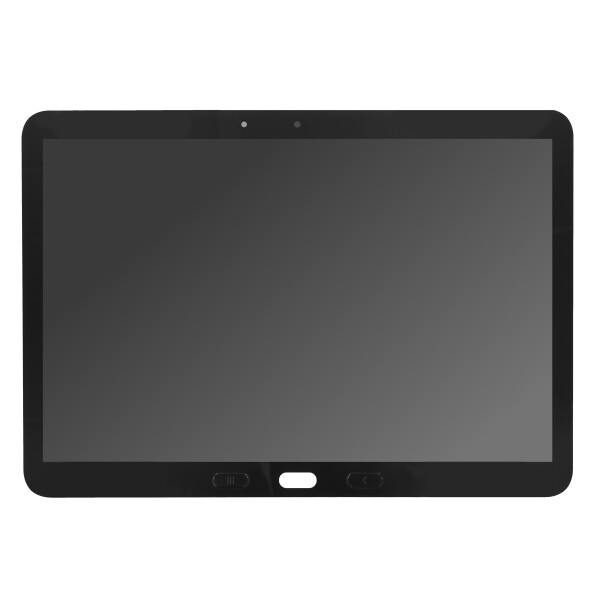


Samsung Display Unit T545/T540 Galaxy Tab Active Pro black GH82-21303A
Original Samsung spare part / Service pack
Original Samsung spare part / Service pack
Product information
Samsung Galaxy Tab Active Pro 10.1 LCD Display and Touchscreen – Black – GH82-21303A
This Samsung Service Pack display assembly is designed for the Samsung Galaxy Tab Active Pro 10.1. It combines the LCD screen and touch-sensitive digitizer in one complete replacement component.
The display assembly is suitable for repairing a damaged, cracked or non-functional screen and helps restore image display and touchscreen operation.
Product Functions
- Displays images, applications, menus and videos
- Supports touchscreen operation
- Replaces the LCD screen and touch digitizer
- Suitable for professional tablet repair and refurbishment
Suitable for the Following Repairs
- Cracked or damaged display glass
- The LCD remains black
- Lines, spots or colour errors appear on the screen
- The touchscreen does not respond correctly
- Only part of the touchscreen is working
- The existing display assembly is physically damaged
Compatibility
- Compatible device: Samsung Galaxy Tab Active Pro 10.1
- Compatible models: SM-T540 / SM-T545
- Part number: GH82-21303A
- Colour: Black
- Part type: LCD display and touchscreen assembly
Please compare the tablet model, part number and construction of the installed display before installation.
Required Repair Tools
- Precision Phillips screwdriver
- Controlled heat source
- Suction cup
- Plastic opening picks
- Plastic spudger
- ESD-safe precision tweezers
- Isopropyl alcohol and lint-free cleaning cloth
- Suitable display adhesive
Installation
Switch off the tablet completely and remove the rear cover and battery before beginning the repair. Remove the necessary screws and internal components to access the display connectors.
Disconnect the display and touchscreen flex cables carefully. Apply controlled heat around the front edges to soften the existing adhesive and remove the damaged display using suitable plastic opening tools.
Clean the installation surface thoroughly and remove all remaining adhesive, glass and dust. Connect the new display temporarily and test its functions before applying the final adhesive.
After successful testing, position the display correctly inside the frame and press it evenly into place. Soldering is normally not required.
Testing Before Installation
- Check the display image and brightness
- Test the touchscreen across the entire surface
- Check for lines, spots or colour irregularities
- Test screen rotation and touch gestures
- Confirm that all flex connectors are securely attached
Installation Recommendations
- Remove the battery before working on internal connectors
- Keep all screws organised according to their original positions
- Do not bend or damage the display flex cables
- Do not apply excessive pressure to the LCD panel
- Test the display before final installation
- Installation by an experienced repair technician is recommended
Product Details
- Product: LCD Display and Touchscreen Assembly
- Brand: Samsung
- Part number: GH82-21303A
- Compatible device: Samsung Galaxy Tab Active Pro 10.1
- Compatible models: SM-T540 / SM-T545
- Colour: Black
- Packaging: Samsung Service Pack
Package Contents
- 1 x Samsung Galaxy Tab Active Pro 10.1 LCD Display and Touchscreen – Black – GH82-21303A
| Color: | Black |
|---|---|
| Frame Included: | No |
| LCD Type: | Super AMOLED |
| Width Packaged: | 186.00 mm |
| Height Packaged: | 26.00 mm |
| Length Packaged: | 276.00 mm |
| Weight Packaged: | 280.00 g |