
 Deutsch
 English
 Français
 Italiano
 Türkçe
 Español
 Nederlands
 Português
 čeština
 Polski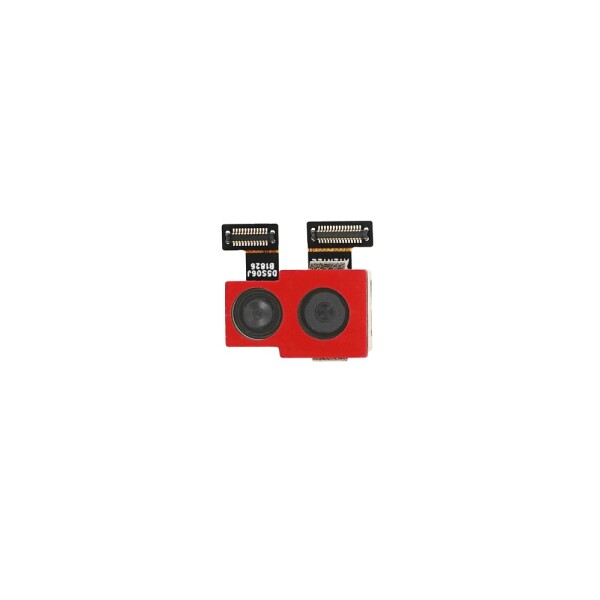
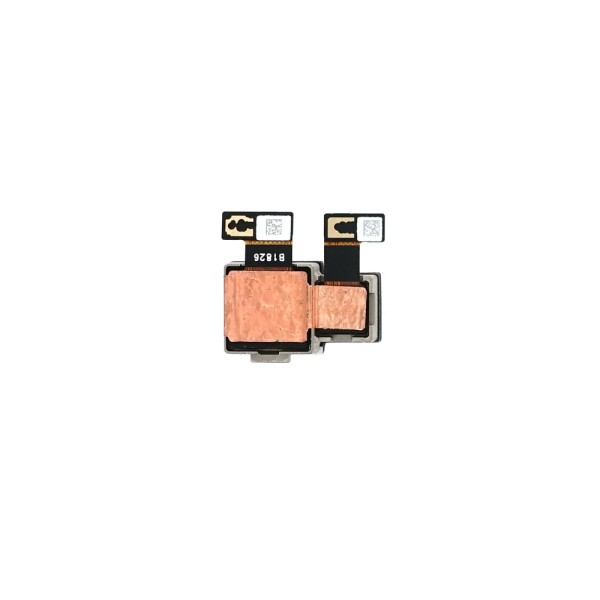


Back Camera for Xiaomi Pocophone F1
Compatible with Xiaomi Pocophone F1
Compatible with Xiaomi Pocophone F1
Product information
Rear Camera Module 12MP + 5MP for Xiaomi Pocophone F1
This rear camera module is designed for the Xiaomi Pocophone F1, also known as the POCO F1. It replaces the internal main camera assembly and is suitable for repairing a damaged or malfunctioning rear camera.
The module combines a 12 MP main camera and a 5 MP secondary camera. After correct installation, it supports the rear photo and video functions of the smartphone, including focusing, portrait effects and depth detection.
Product Function
The rear camera module captures photos and videos using the main camera application of the smartphone. The 12 MP main sensor is responsible for capturing the primary image, while the 5 MP secondary sensor supports depth information and portrait photography.
The camera module is connected directly to the internal motherboard of the smartphone through its integrated connector. Soldering is generally not required for installation.
Suitable for the Following Repairs
- The rear camera displays a black screen
- The camera application does not recognise the rear camera
- Photos appear blurry even after cleaning the camera glass
- The autofocus function does not work correctly
- The camera cannot focus on nearby or distant objects
- Photos or videos contain permanent spots or image defects
- The image shakes or remains unstable
- The camera module has been damaged by impact or moisture
- The existing camera connector or module is damaged
Compatibility
- Compatible device: Xiaomi Pocophone F1 / POCO F1
- Device model: M1805E10A
- Part type: Rear main camera module
- Camera configuration: 12 MP + 5 MP
- Part number: 560060007033
This part is specifically designed for the Xiaomi Pocophone F1. Camera modules from other Xiaomi or POCO models may have different dimensions, connectors and technical specifications.
Required Repair Tools
The following tools are commonly required for replacing the rear camera module:
- SIM card eject tool
- Torx T3 screwdriver for the bottom housing screws
- Small Phillips screwdriver for internal screws
- Plastic opening tool or opening pick
- Plastic spudger for disconnecting flex connectors
- ESD-safe precision tweezers
- Magnetic repair mat or screw organiser
- Soft cleaning brush
- Lint-free cleaning cloth
- Isopropyl alcohol for cleaning the installation area
- ESD wrist strap or suitable ESD protection
Installation Overview
Before starting the repair, switch off the smartphone completely and remove the SIM card tray.
Remove the two Torx T3 screws located on the bottom edge of the phone. Insert a plastic opening tool between the display frame and the back cover, then carefully release the plastic clips around the edges.
Open the back cover slowly. The fingerprint sensor flex cable remains connected between the back cover and the motherboard, so the cover should not be pulled away with force.
Remove the internal motherboard cover screws and carefully lift the protective cover. Disconnect the fingerprint sensor connector and remove the back cover.
Disconnect the battery before removing or connecting the camera module. This helps protect the smartphone and the replacement component during installation.
Locate the rear camera module near the upper section of the motherboard. Carefully disconnect the camera connector using a plastic spudger and lift the existing camera module out of its position.
Check the installation area for dust, dirt or adhesive residue. Position the replacement camera module correctly and press the connector gently into place.
The camera connector should be aligned before pressure is applied. Do not force the connector, as incorrect alignment can damage the camera module or the motherboard socket.
Testing Before Reassembly
Before closing the smartphone completely, reconnect the battery and perform a functional test.
- Open the standard camera application
- Switch between the front and rear cameras
- Check whether the rear camera image appears correctly
- Test the autofocus on nearby and distant objects
- Take several photos in different lighting conditions
- Record a short video and check the image quality
- Test portrait mode and depth detection
- Check the camera image for spots, blur or unusual movement
After successful testing, switch the device off again and reinstall the motherboard cover, fingerprint sensor connection, back cover and bottom screws.
Installation Recommendations
- Disconnect the battery before working on the camera connector
- Keep all screws organised according to their original positions
- Do not touch the camera lenses or sensors with your fingers
- Do not use metal tools directly on internal connectors
- Do not apply excessive pressure to the camera module
- Make sure that the connector is correctly aligned
- Remove dust from the camera glass before reassembly
- Test the camera before closing the housing completely
- Installation by an experienced repair technician is recommended
Important Repair Note
This product is the internal rear camera module. It is not the external camera glass, camera lens cover or rear housing. Before replacing the module, check whether the problem is caused by dirt, a protective film or damaged external camera glass.
Product Details
- Product: Rear Camera Module
- Compatible model: Xiaomi Pocophone F1 / POCO F1
- Camera resolution: 12 MP + 5 MP
- Part number: 560060007033
- GTIN: 4251488606765
- Installation type: Internal replacement component
Package Contents
- 1 x Rear Camera Module 12MP + 5MP for Xiaomi Pocophone F1
| Flex Included: | Yes |
|---|